
 Par help
Keep score on each hole
Par shows one hole at a time. Tap a player, tap their score, and the totals update as you go.
-
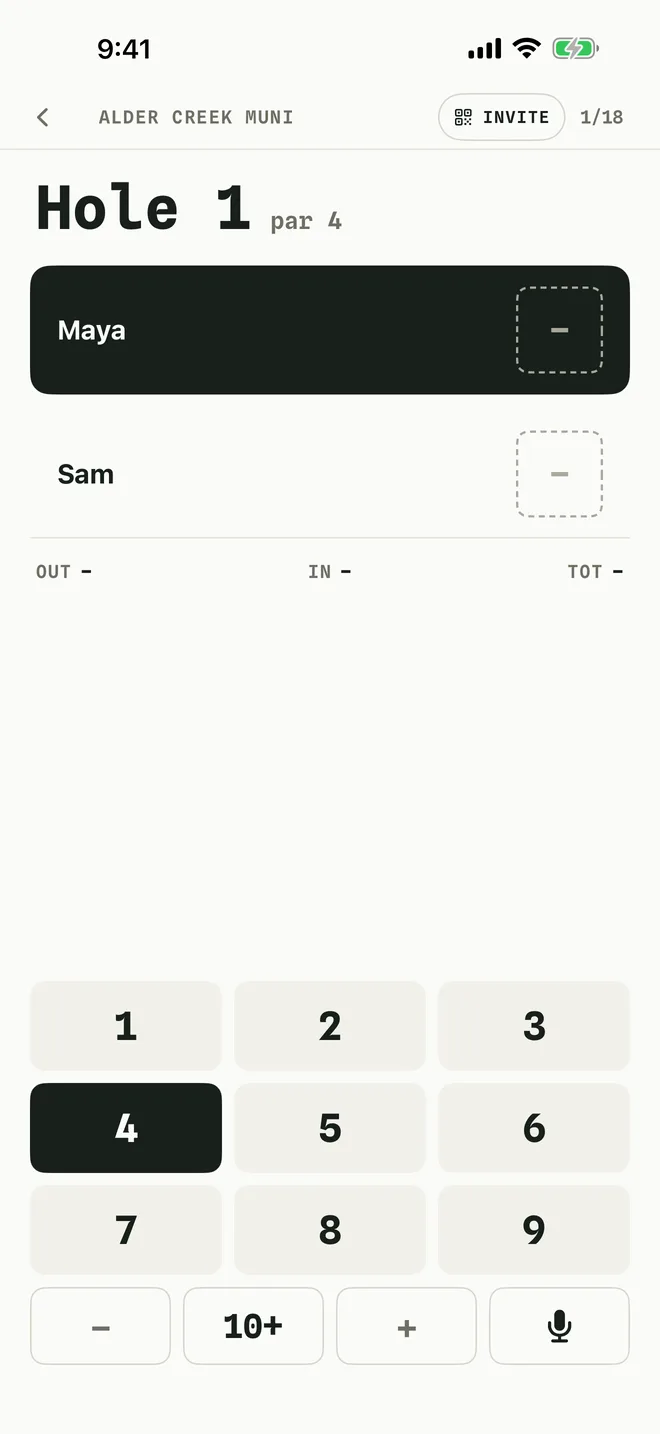
1Tap a score
The highlighted player is the one you are scoring. Tap their number on the pad and Par moves to the next player.
For 10 or more, tap 10+, then + to go higher. − takes one off.
-
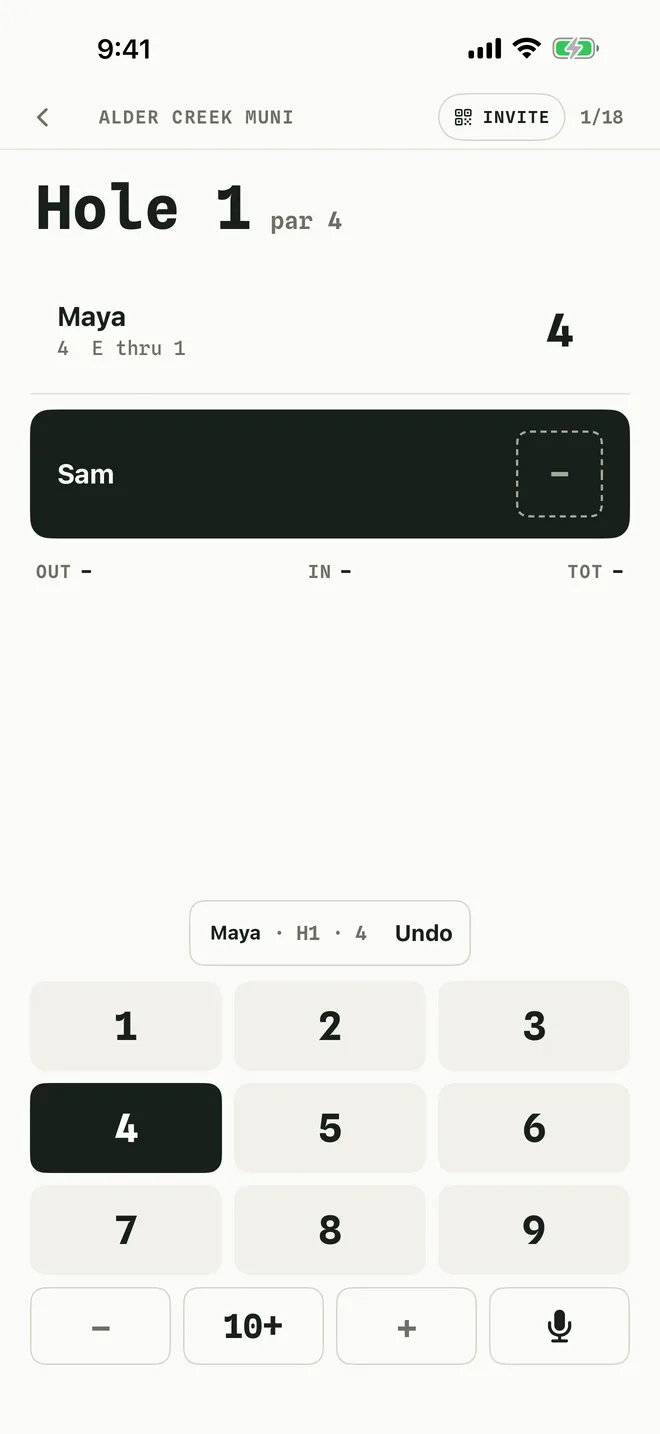
2Fix a mistake straight away
Right after you enter a score, an Undo button appears above the pad. Tap it to take that score back. To change any score on the hole, tap that player, then tap the right number.
-
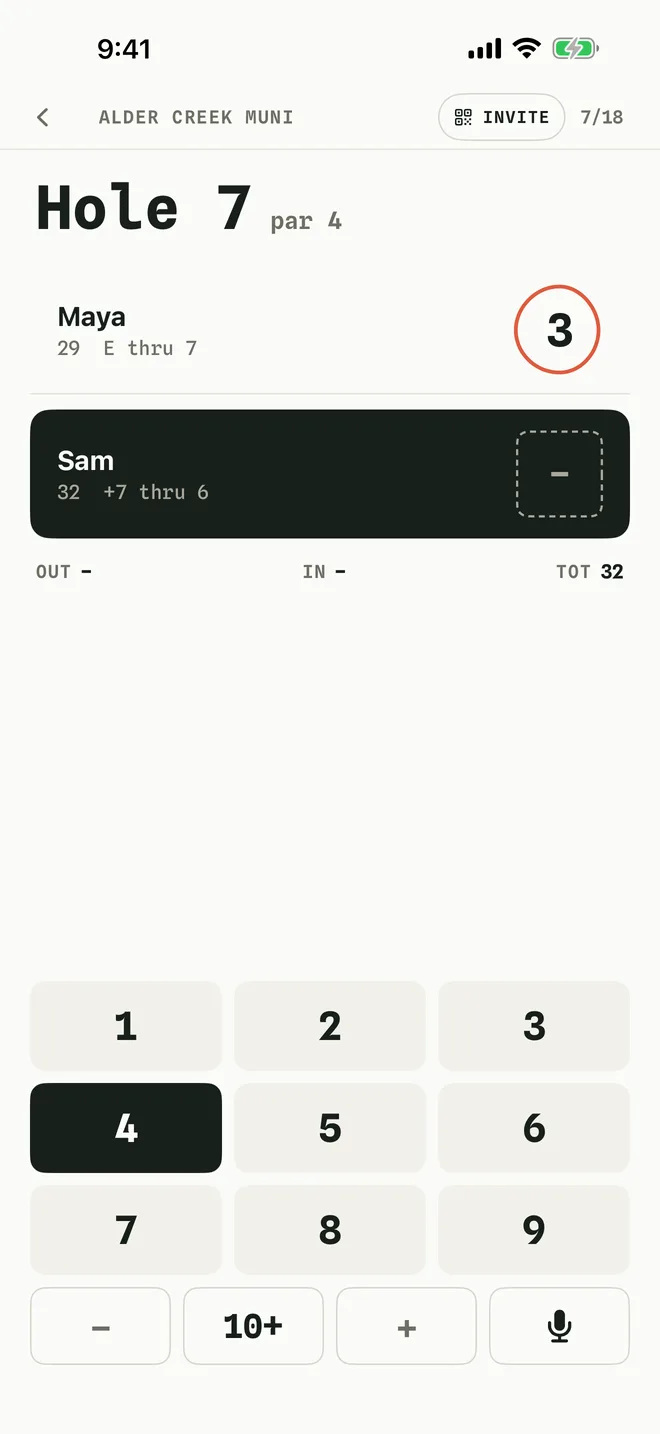
3Watch the totals
Each player's total and score against par sit under their name. Birdies get a circle and bogeys a square, the way a paper card is marked.
When everyone has a score, the next hole opens on its own. Swipe right to go back to an earlier hole, or left to move ahead.
-
4Say the scores instead (Par Pro)
Hold the microphone key on the pad and say the scores, for example "Maya four, Sam five". Let go, check the preview, and tap Add scores.
More in Getting started
Still stuck?
Tell us what you see — a screenshot helps — and a person will reply by email, usually within a day.