
 Par help
Finish a round and share the card
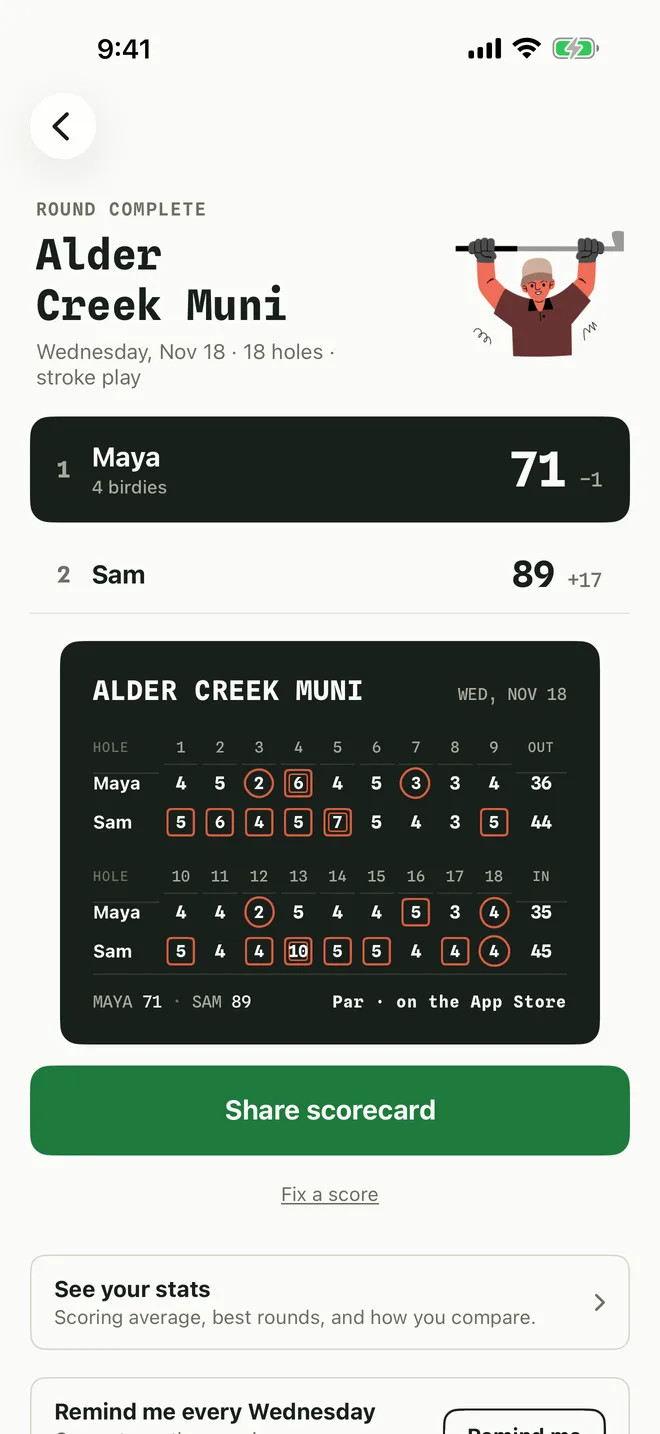
After the last hole, Par shows the result and a clean card you can send to the group chat.
-
1See the result
The players are ranked with their totals and score against par, above the full card.
-
2Share it
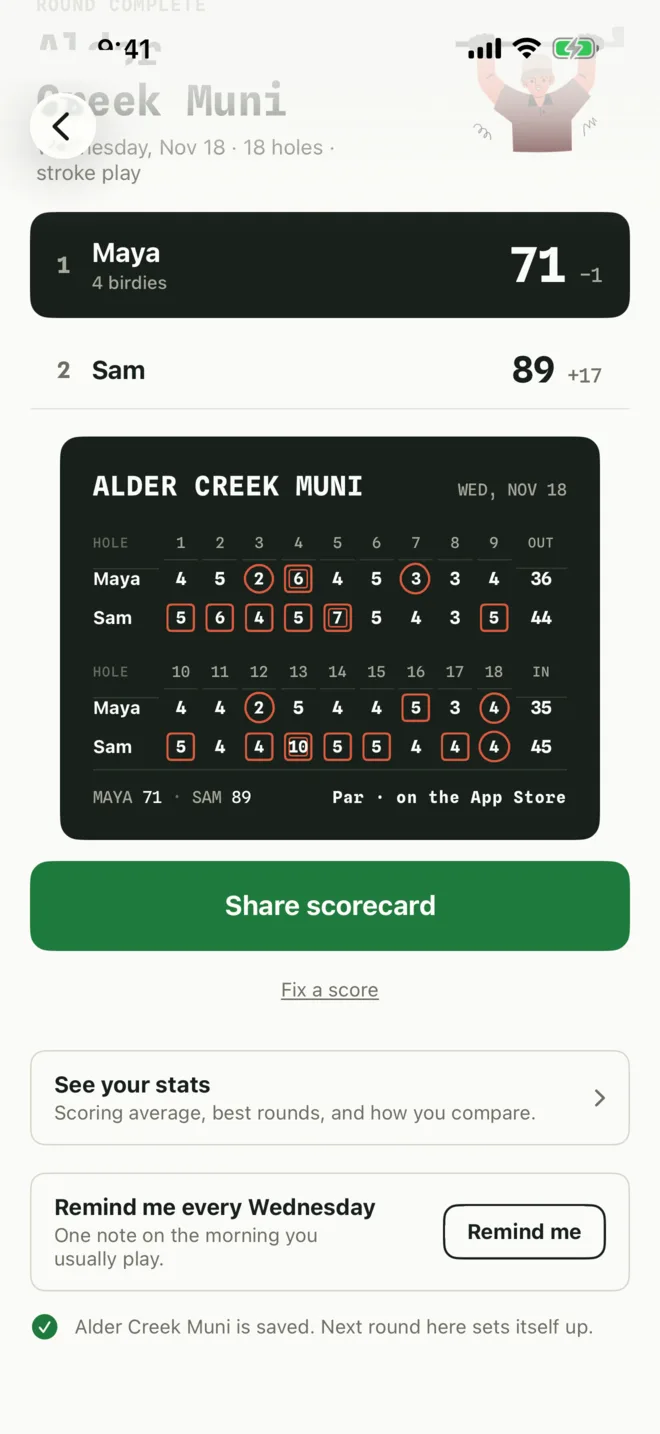
Tap Share scorecard to send the card as an image through Messages, WhatsApp, Mail or anywhere else.
-
3Fix a score, save the course
Spotted a mistake? Tap Fix a score. If you played without a saved course, Par offers to save it so the pars fill in next time.
Remind me sets one weekly note on the day you usually play.
More in Getting started
Start a roundPlayers, holes, mode and course
Keep score on each holeThe number pad, undo and the running total
See the full scorecardTurn your phone sideways
Still stuck?
Tell us what you see — a screenshot helps — and a person will reply by email, usually within a day.