
 Par help
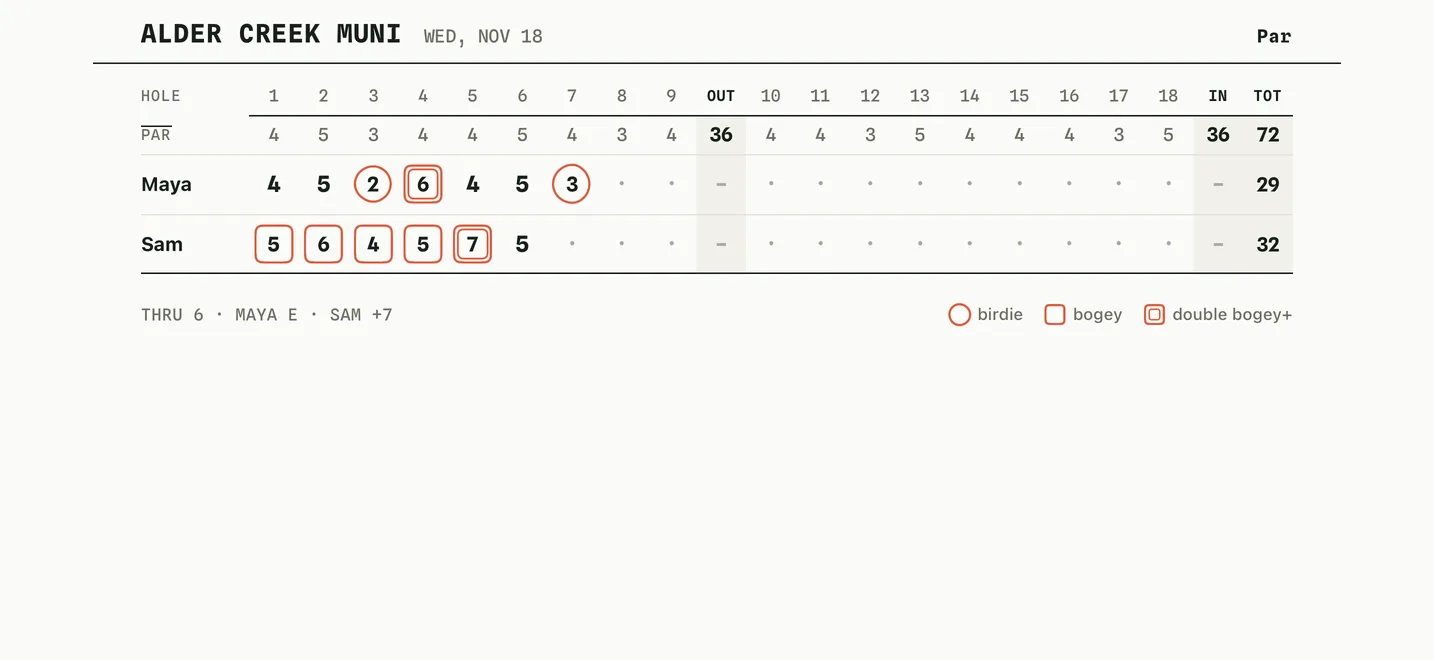
See the full scorecard
Turn your phone sideways at any time to see the whole round as a printed-style card.
-
1Rotate your phone
Turn the phone on its side. Every hole, the par row and each player's out, in and total appear on one card. Turn it back to keep scoring.
If the card does not turn, check that Portrait Orientation Lock is off in Control Center. You can also tap Show the full scorecard on the scoring screen.
More in Getting started
Start a roundPlayers, holes, mode and course
Keep score on each holeThe number pad, undo and the running total
Finish a round and share the cardResults, sharing and saving the course
Still stuck?
Tell us what you see — a screenshot helps — and a person will reply by email, usually within a day.