
 Geode help
Properties, value and look-alikes
The tabs under the photo hold the full details for the stone you scanned.
-
1Properties
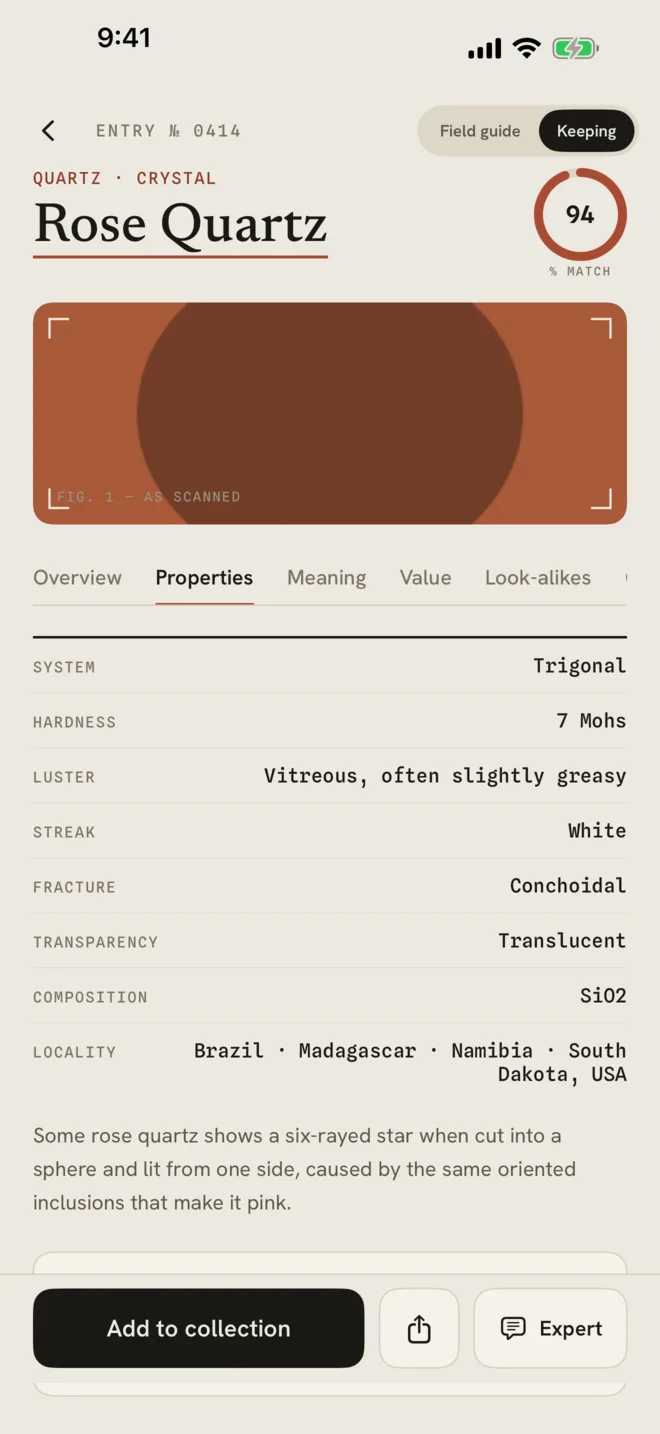
Tap Properties for the crystal system, Mohs hardness, luster, streak, fracture, transparency, chemical composition and where it is found.
-
2Value
Tap Value for an estimated price range per piece at the size you scanned, and the factors that move it.
The value is an estimate from recent retail listings, not an appraisal. For insurance or a sale, ask a certified gemologist.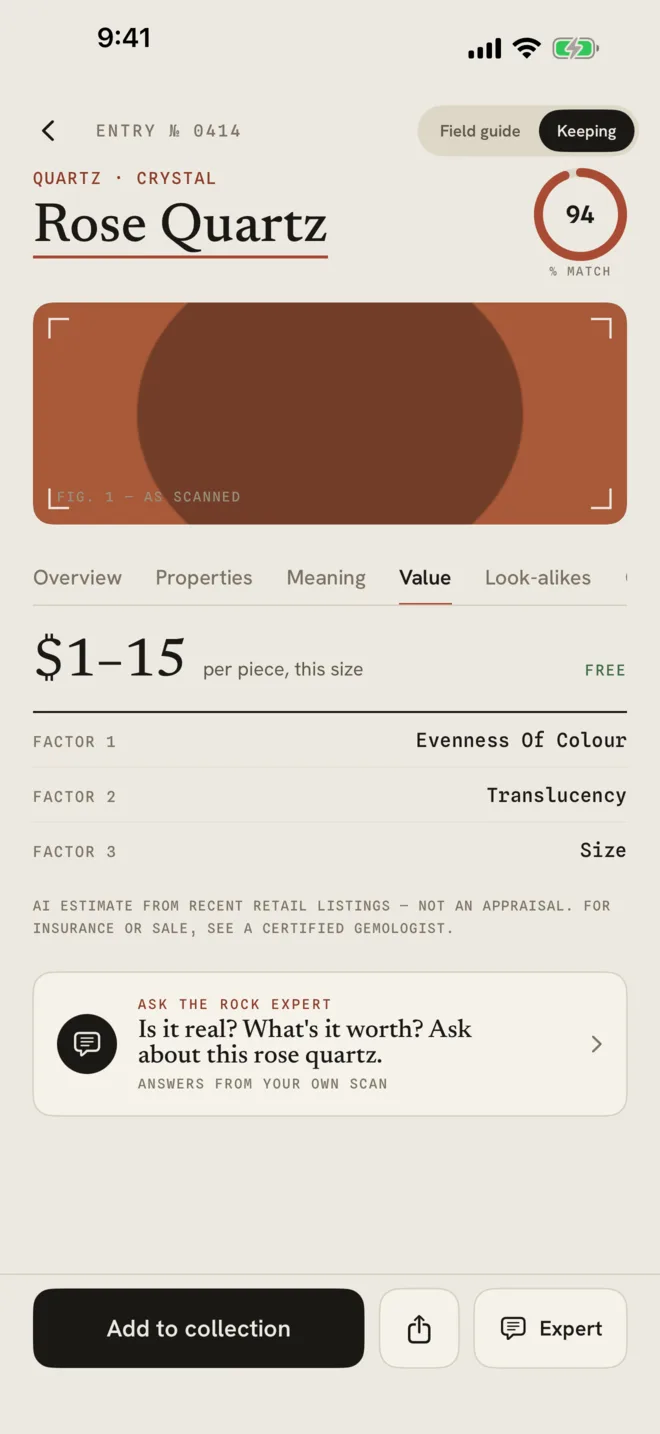
-
3Meaning and Look-alikes
Look-alikes shows stones that are easy to confuse with this one and how to tell them apart. Meaning appears when the Keeping lens is on (see Settings) and covers meanings, chakras, zodiac, cleansing and care.
-
4Ask the rock expert (Geode Pro)
Tap Expert or the Ask the rock expert card and type a question about this specimen, such as "Is it real?" Answers come from your own scan.
More in Identify a stone
Still stuck?
Tell us what you see — a screenshot helps — and a person will reply by email, usually within a day.