
 Klick help
Log your weight
Log your weight in seconds and watch the trend over weeks and months.
-
1Log a weight
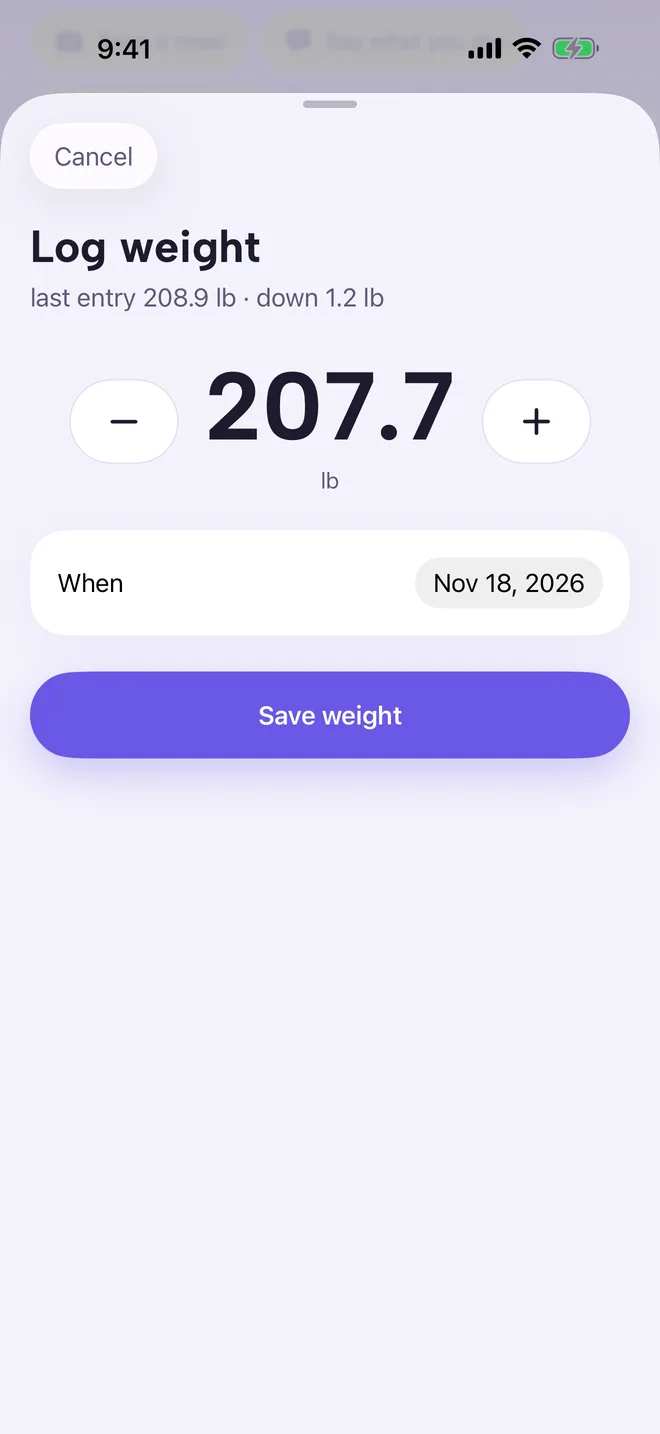
On Today, tap the weight card. Klick starts from your last entry; use − and + or tap the number to type. Tap Save weight.
You can also log a weight with Snap your scale on Today, which reads the number from a photo of your scale for you to check.
-
2See your progress
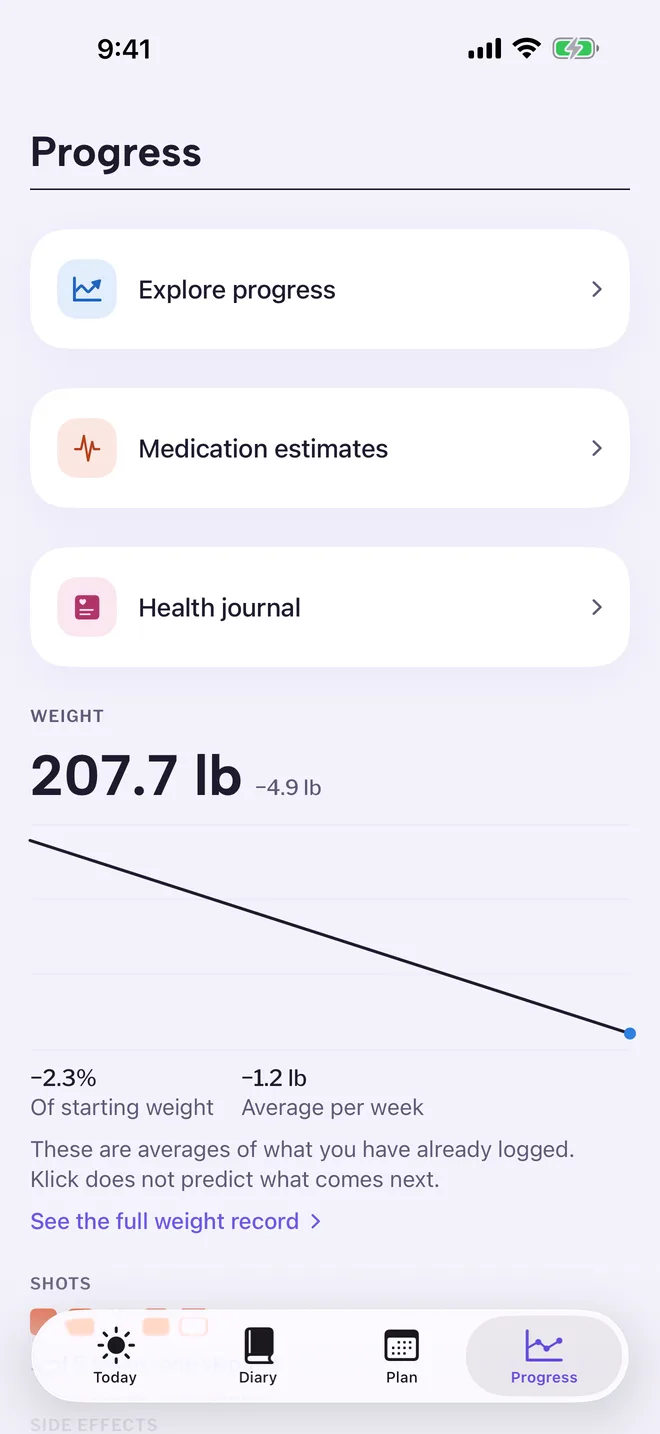
The Progress tab shows your weight trend and averages. These are averages of what you logged. Klick does not predict what comes next.
To sync weight with Apple Health, open Settings and turn on Sync weight with Health.
More in Weight, food and how you feel
Still stuck?
Tell us what you see — a screenshot helps — and a person will reply by email, usually within a day.