
 Klick help
Food, protein and water
A food diary built for smaller appetites, with protein and water front and centre.
-
1Open Food
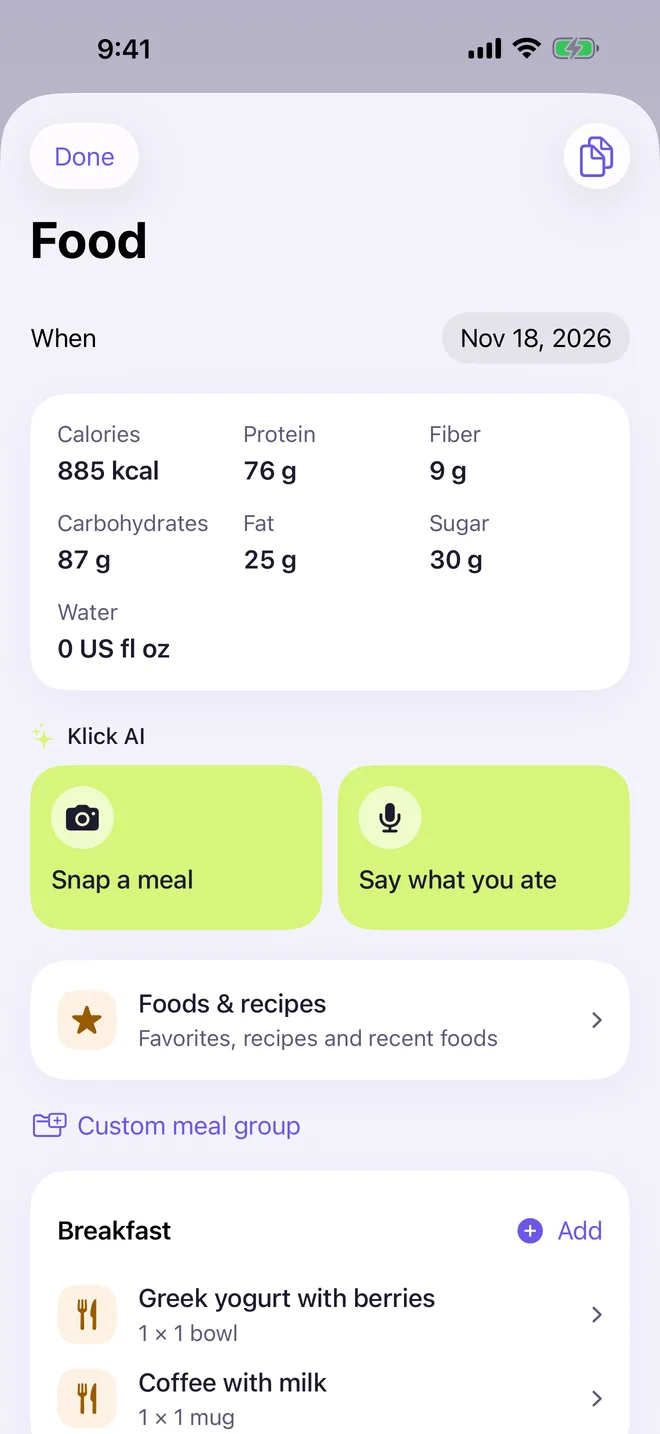
Tap the fork button on Today. The day's calories, protein, fibre and water sit at the top, and each meal has Add.
Foods & recipes keeps your favourites and recent foods so repeat meals take one tap.
-
2Snap or say a meal (Klick AI)
Tap Snap a meal and photograph your plate, or Say what you ate, for example "two eggs and toast". Klick AI fills in a draft with calories and protein. You check every item before it saves.
The free plan includes 3 meal photos and 10 voice entries a month. Klick Pro makes them unlimited.
-
3Protein and water
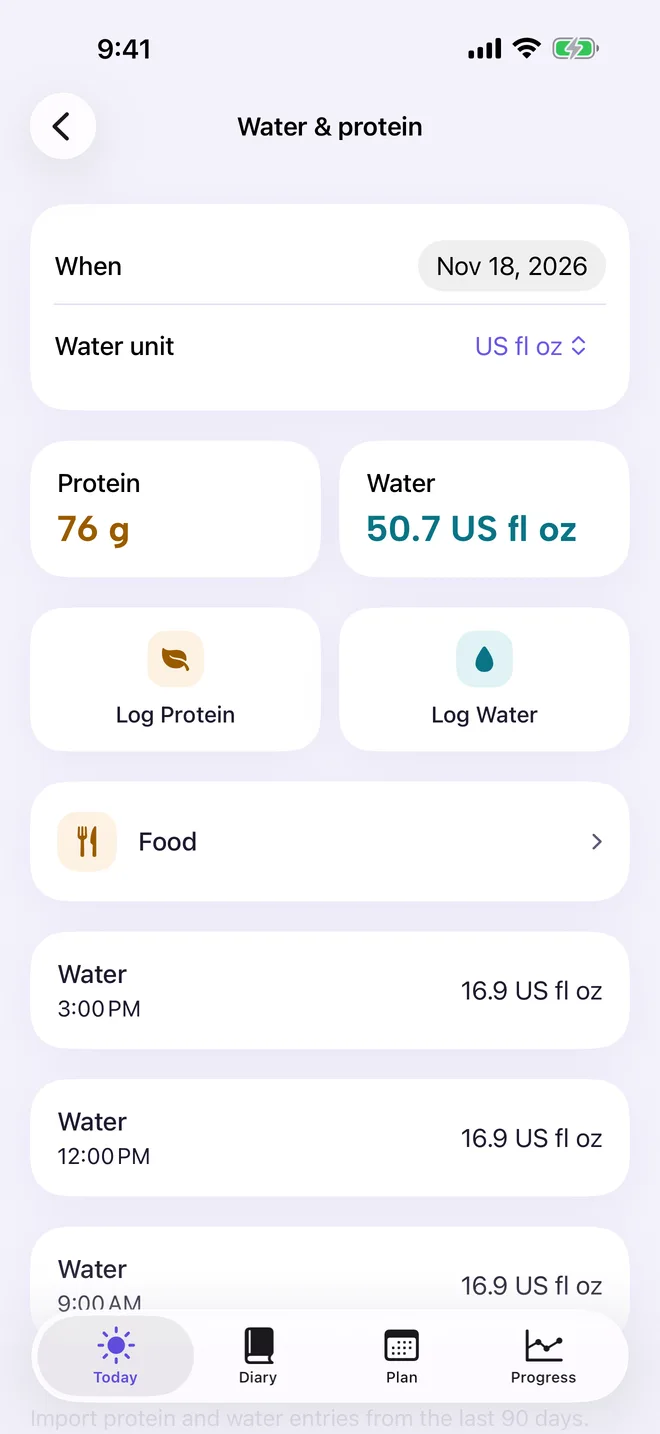
Open Water & protein from Today or Settings to see the day's totals, and tap Log Protein or Log Water. You can also add water from a widget or Siri.
More in Weight, food and how you feel
Still stuck?
Tell us what you see — a screenshot helps — and a person will reply by email, usually within a day.