
 Klick help
Medication, schedule and reminders
Set up your medication the way your prescriber set it, and Klick sends one quiet reminder on shot day.
-
1Open your medication
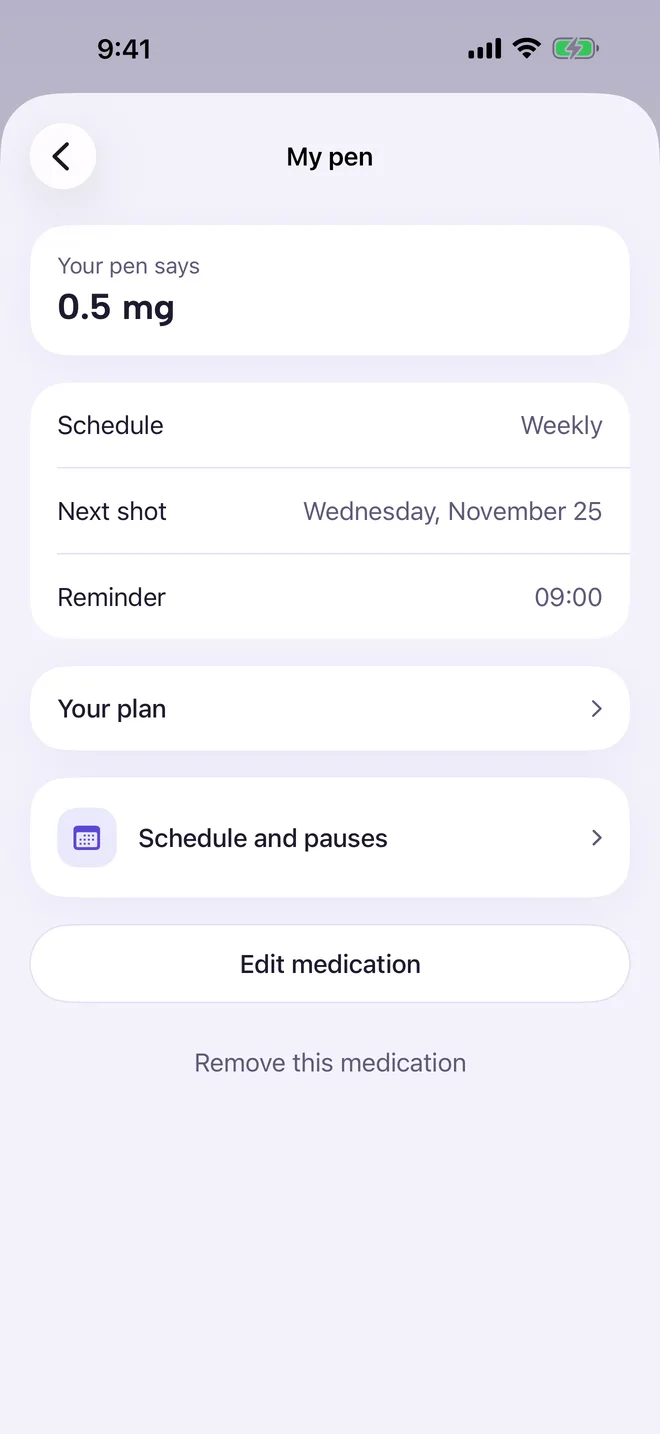
Tap the gear on Today to open Settings, then tap your medication under Medications. You see the dose, Schedule, Next shot and Reminder time.
Schedule and pauses changes future dates or pauses your plan, while keeping your past record as it was.
-
2Edit the medication
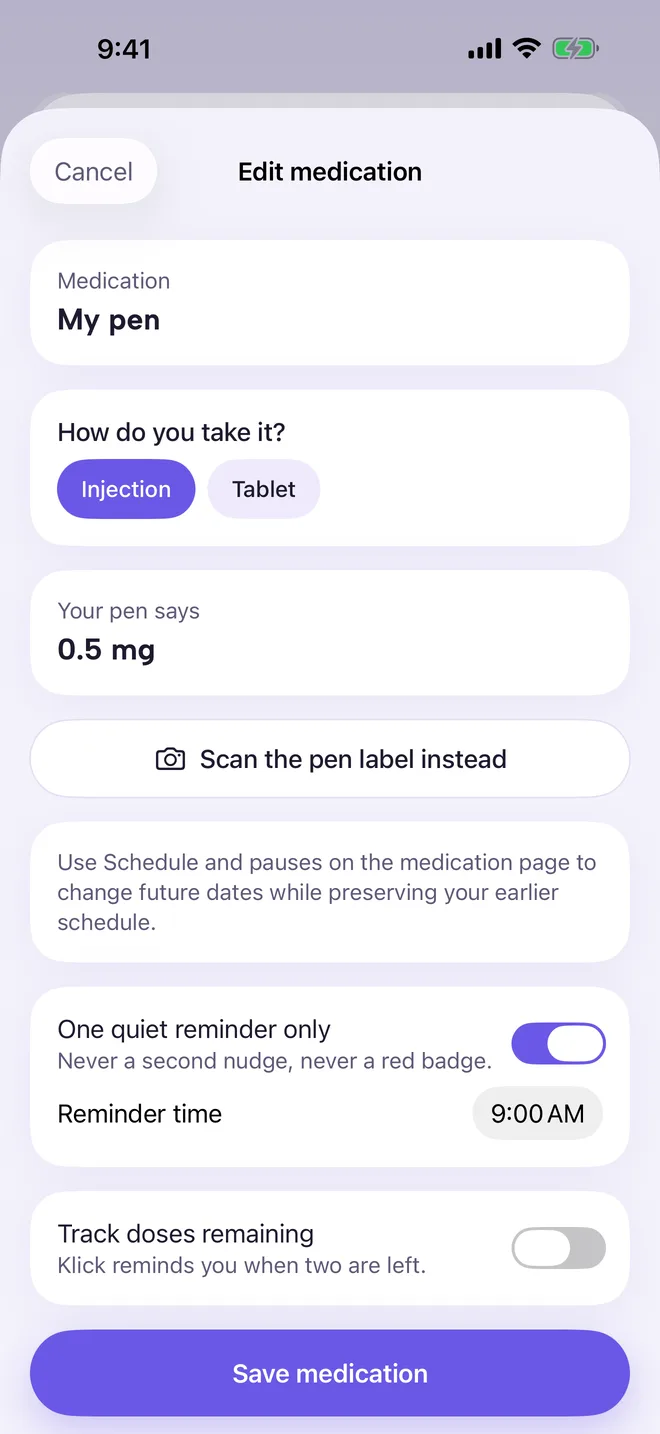
Tap Edit medication. Choose Injection or Tablet, set the dose as written on your pen or pack (or tap Scan the pen label instead), and set the Reminder time.
Turn on Track doses remaining and Klick reminds you when two are left. Tap Save medication.
-
3Plan, titration and inventory
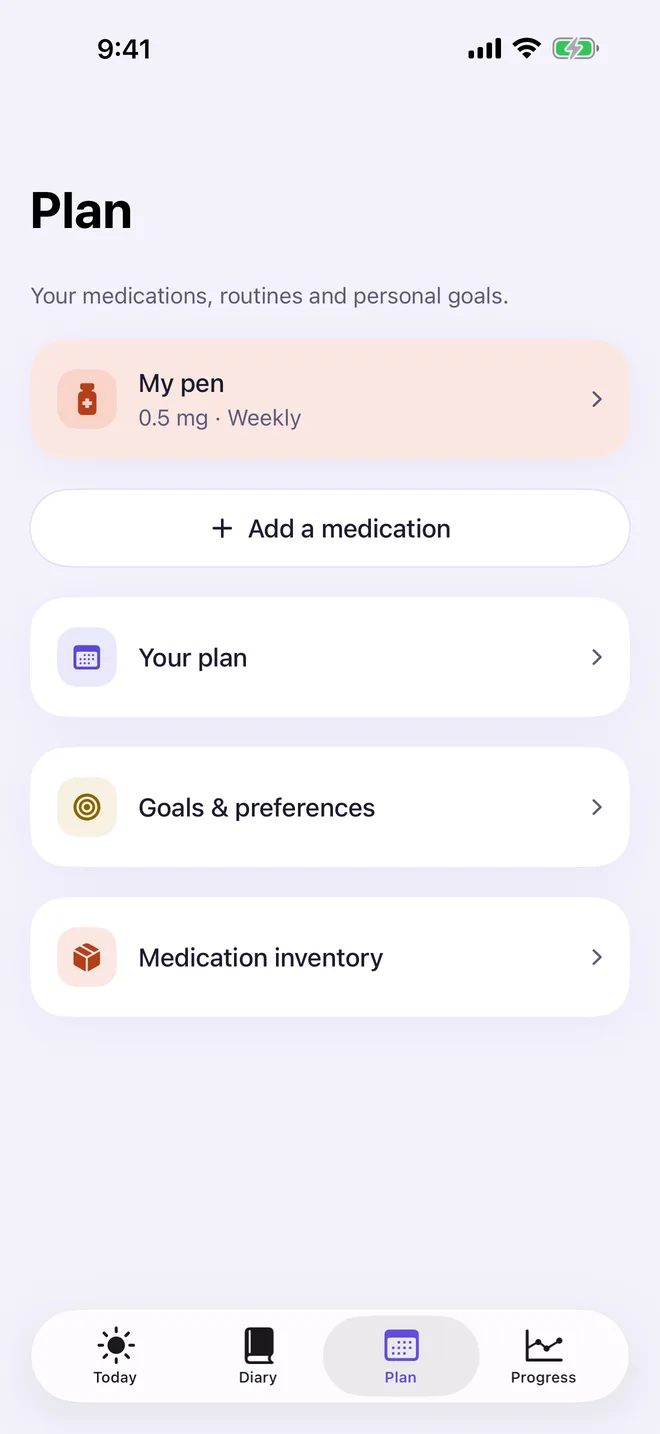
The Plan tab holds Your plan for dose steps, Goals & preferences and Medication inventory. Tap Add a medication for a second one (Klick Pro).
More in Shots and doses
Still stuck?
Tell us what you see — a screenshot helps — and a person will reply by email, usually within a day.