
 Klick help
Log a shot
Log each GLP-1 injection or tablet in a couple of taps, with the site and how you are feeling.
-
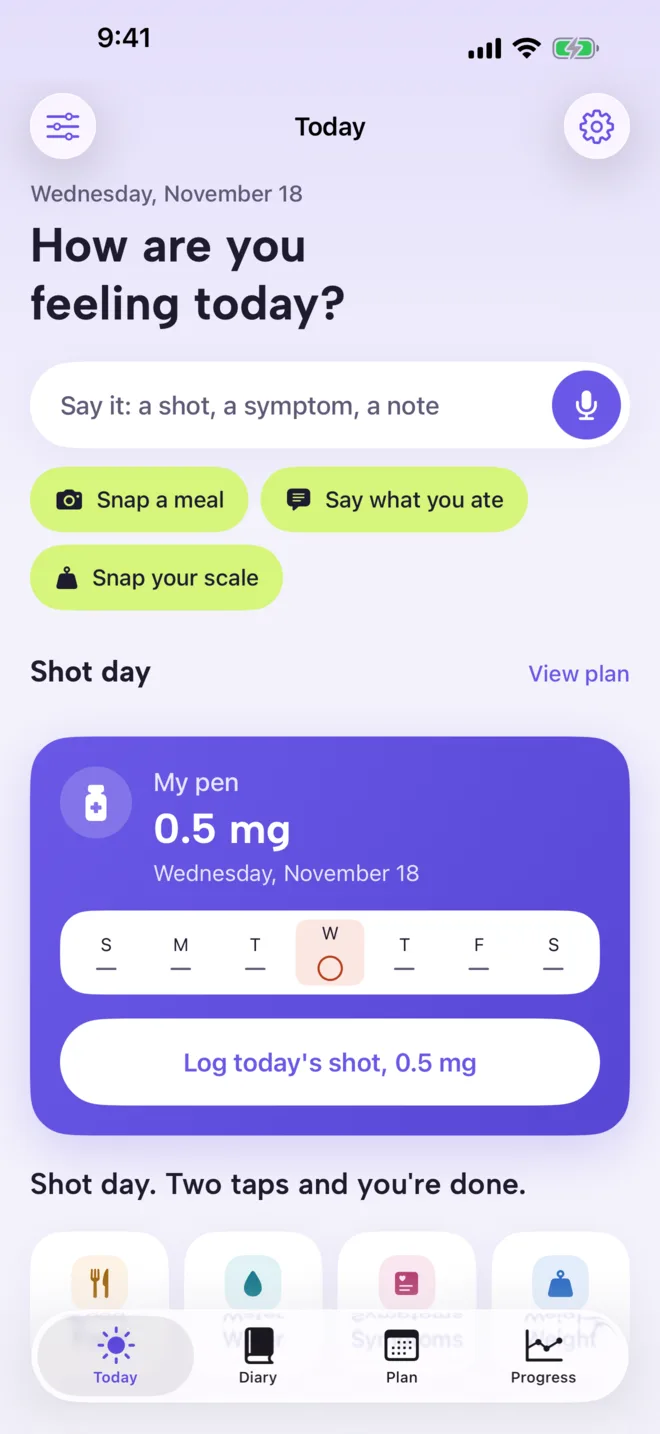
1Tap Log today's shot
On the Today tab, the shot card shows your medication and this week. On shot day, tap Log today's shot.
-
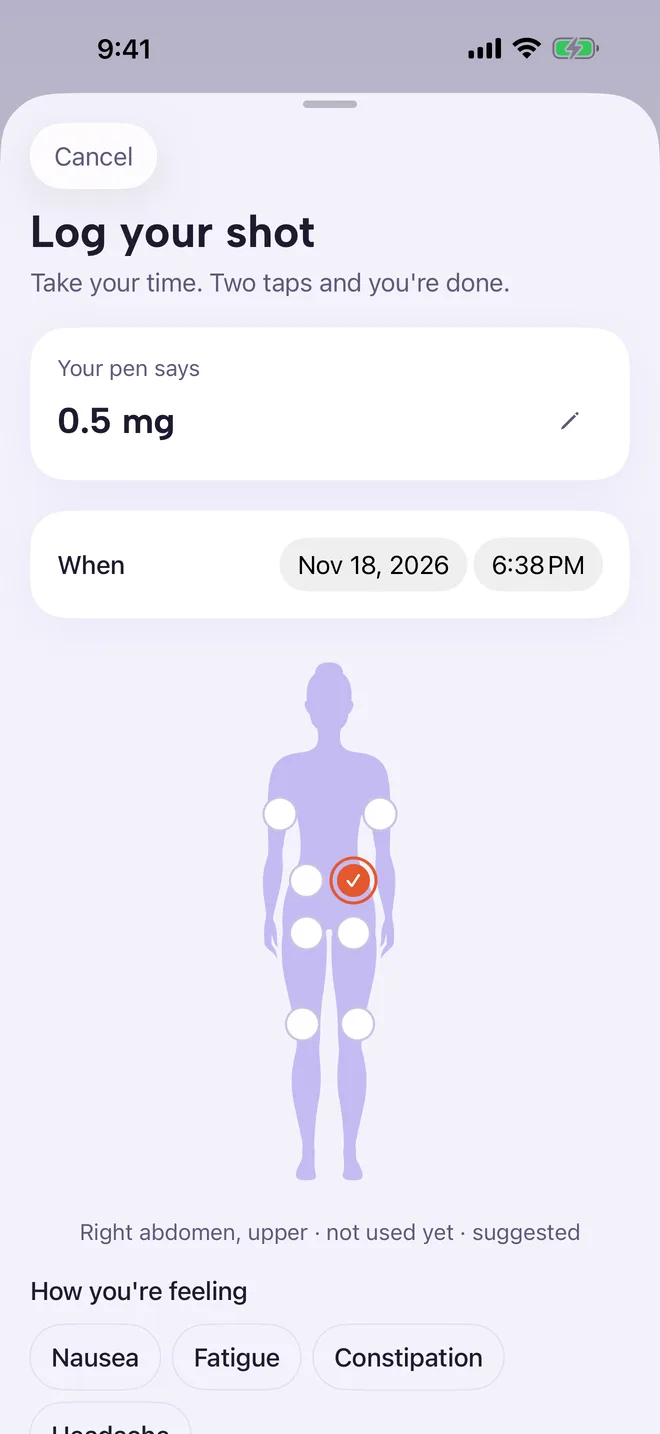
2Check the dose and time
Your pen says shows the dose exactly as written on your pen. Tap it to change it. When is now; tap the date or time to log an earlier shot.
-
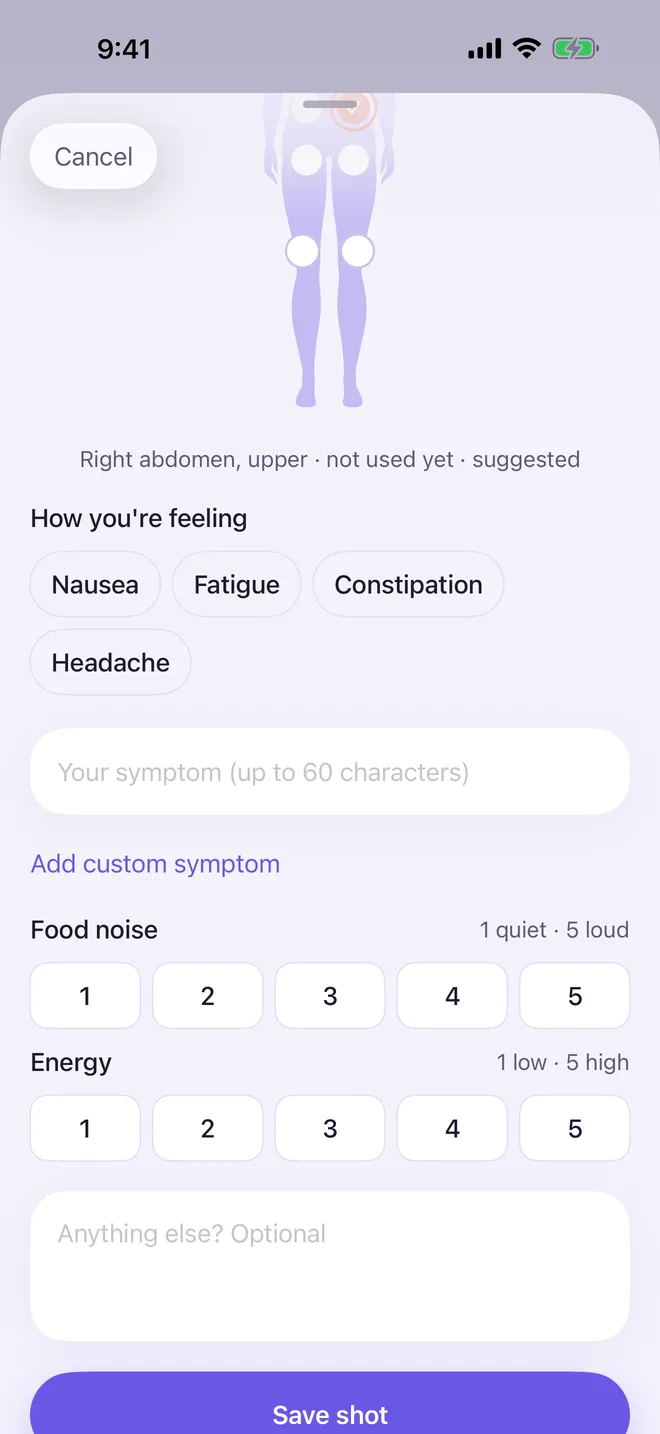
3Pick the injection site
Scroll down to the body map and tap where you injected. Klick suggests the site that has rested longest, and warns if your last few shots were all in the same area.
Under How you're feeling, tap any side effects, then rate Food noise and Energy from 1 to 5 if you like. Then tap Save shot.
-
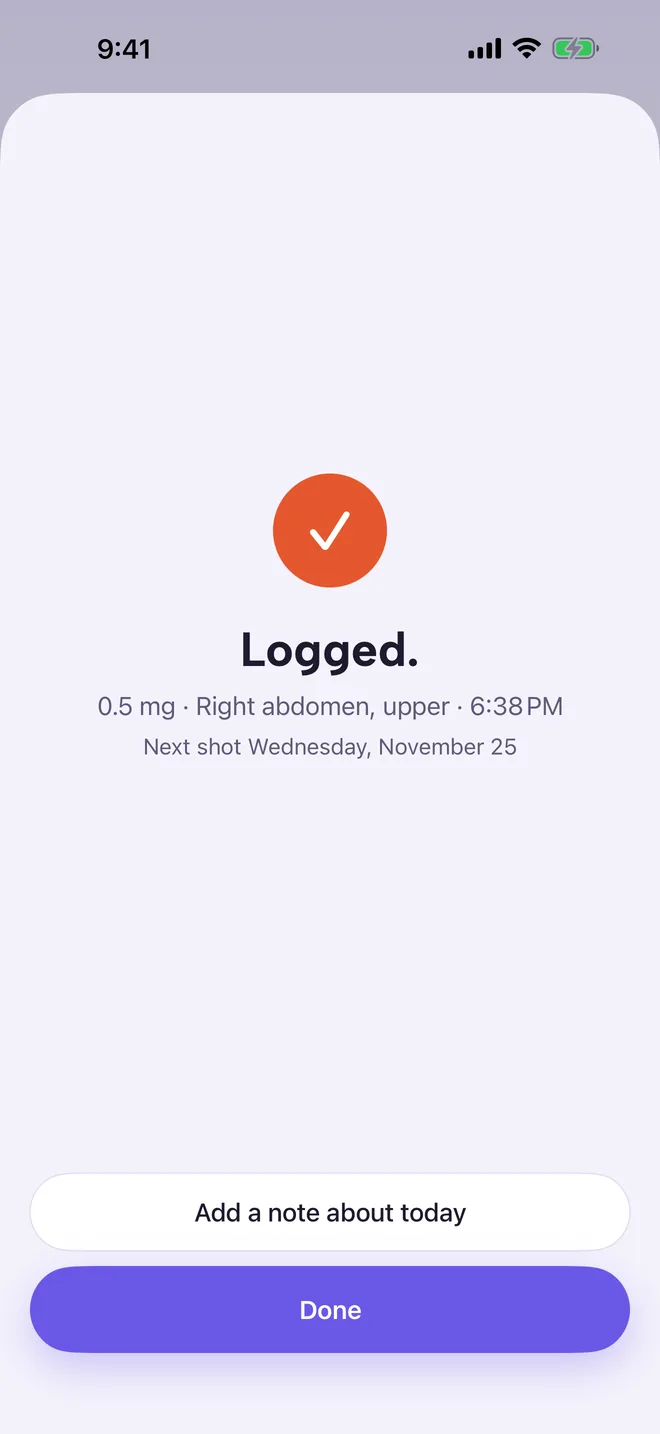
4Done
Klick confirms the dose, site and time, and shows when your next shot is due. Tap Add a note about today to write more, or Done.
Skipping a week? On shot day tap I'm skipping this week. It is recorded plainly, with no streaks to break.
More in Shots and doses
Still stuck?
Tell us what you see — a screenshot helps — and a person will reply by email, usually within a day.