
 Klick help
Doctor report
Make one PDF with every dose as you wrote it, injection sites, weight trend and side effects.
-
1Open Doctor report
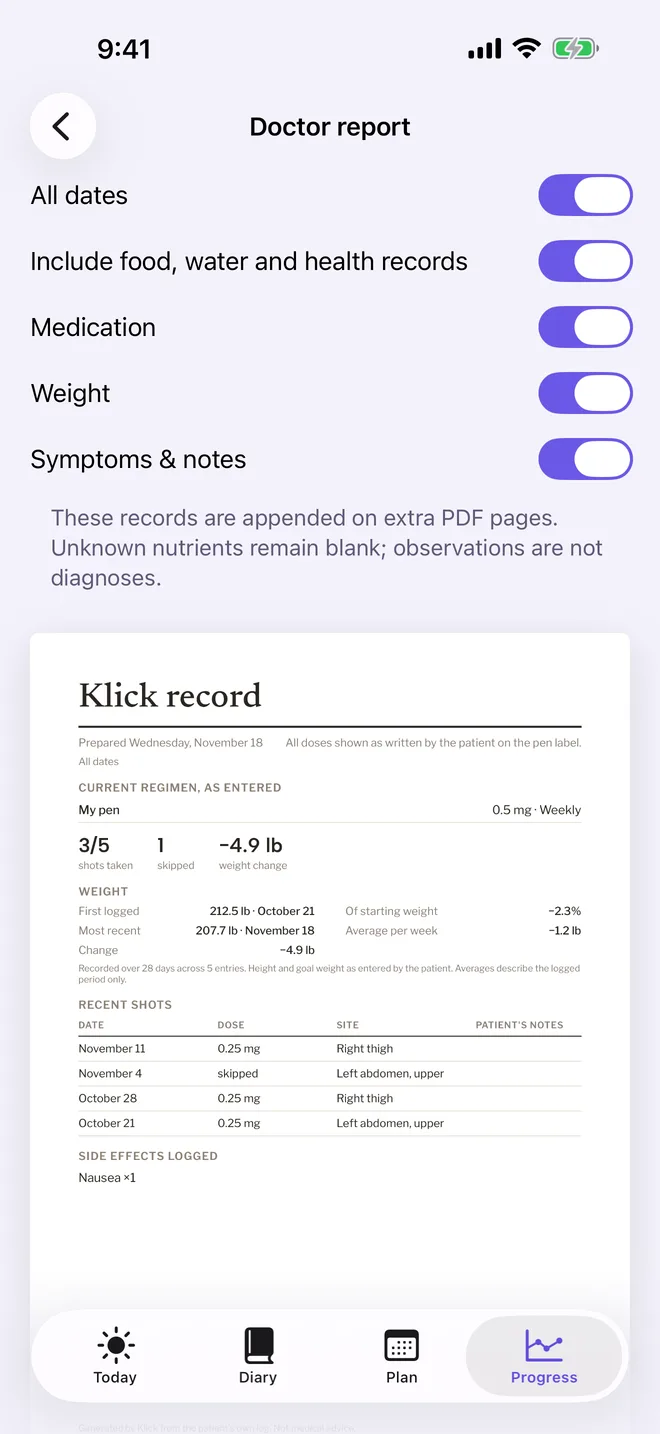
On Progress, scroll down and tap Doctor report. Choose what to include, such as All dates, medication, weight and symptoms, and check the preview.
-
2Create and share the PDF (Klick Pro)
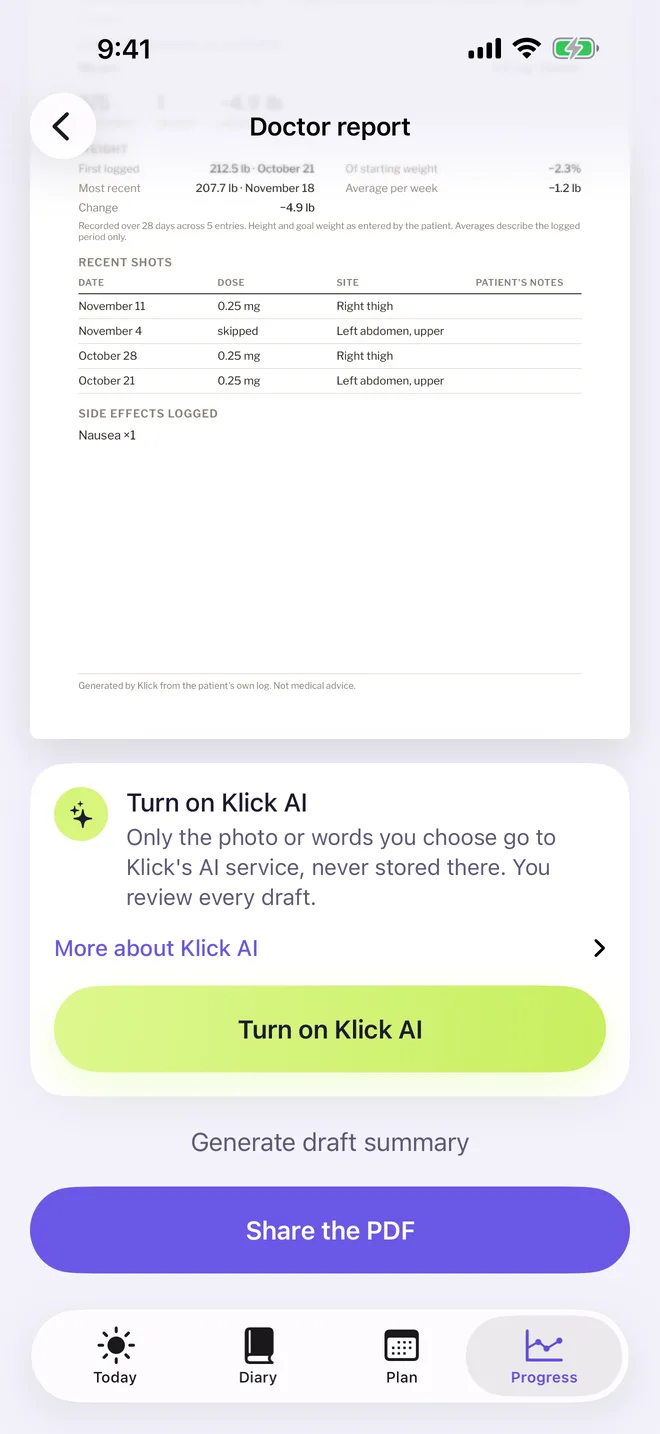
Tap Create the PDF, then Share the PDF to email it, print it or save it to Files.
With Klick AI turned on you can add a short draft summary. You review it before it goes in.
Klick keeps a record. It never calculates or suggests doses. Always follow your prescriber's instructions.
More in Your record
Your diaryEvery shot, meal and note in one place
Import, export and backupSwitch trackers or keep a copy
Still stuck?
Tell us what you see — a screenshot helps — and a person will reply by email, usually within a day.