
 Geode help
Save stones to your collection
Keep every stone you identify in one place, with your own notes on where you found it.
-
1Add to collection
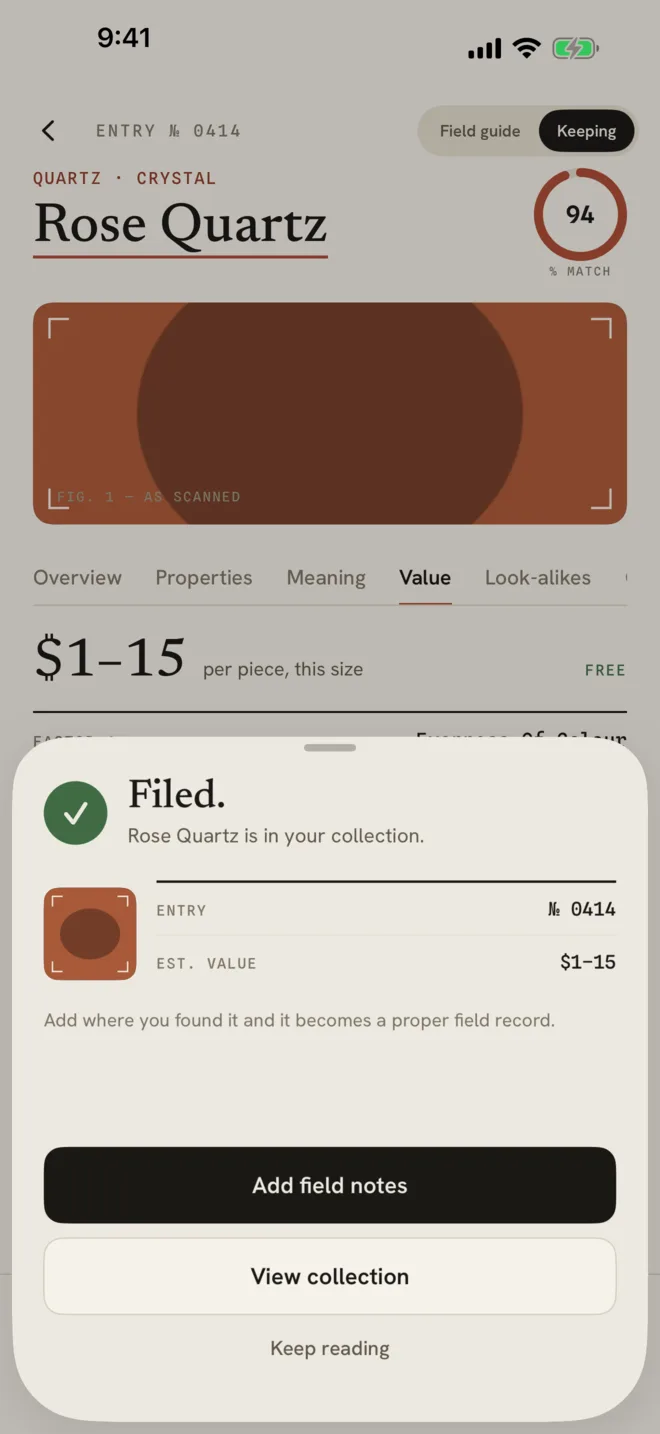
On a result, tap Add to collection. Geode files it with an entry number and the estimated value.
Tap Add field notes to record where you found it, or View collection to see all your specimens.
-
2Browse your specimens
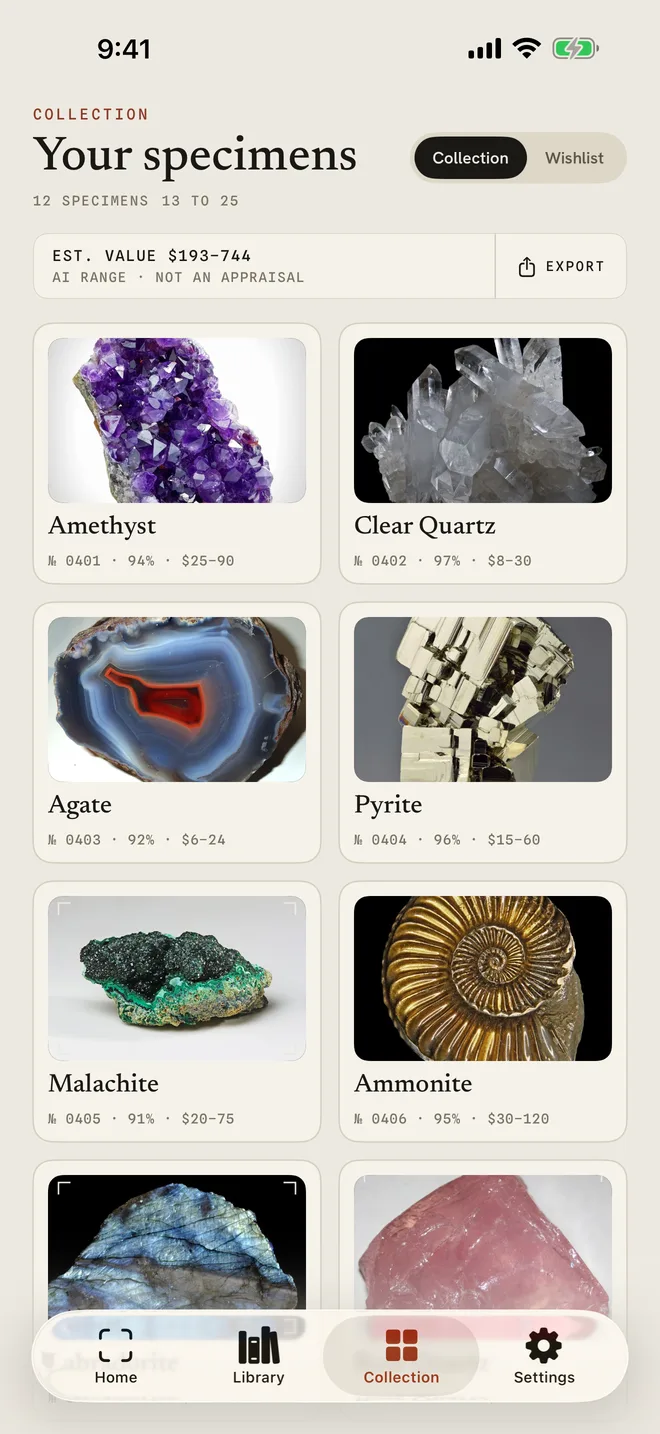
Open the Collection tab. The total estimated value of your collection is at the top. Tap a card to open that specimen. To remove one, press and hold its card and tap Remove from collection.
-
3Export a specimen sheet
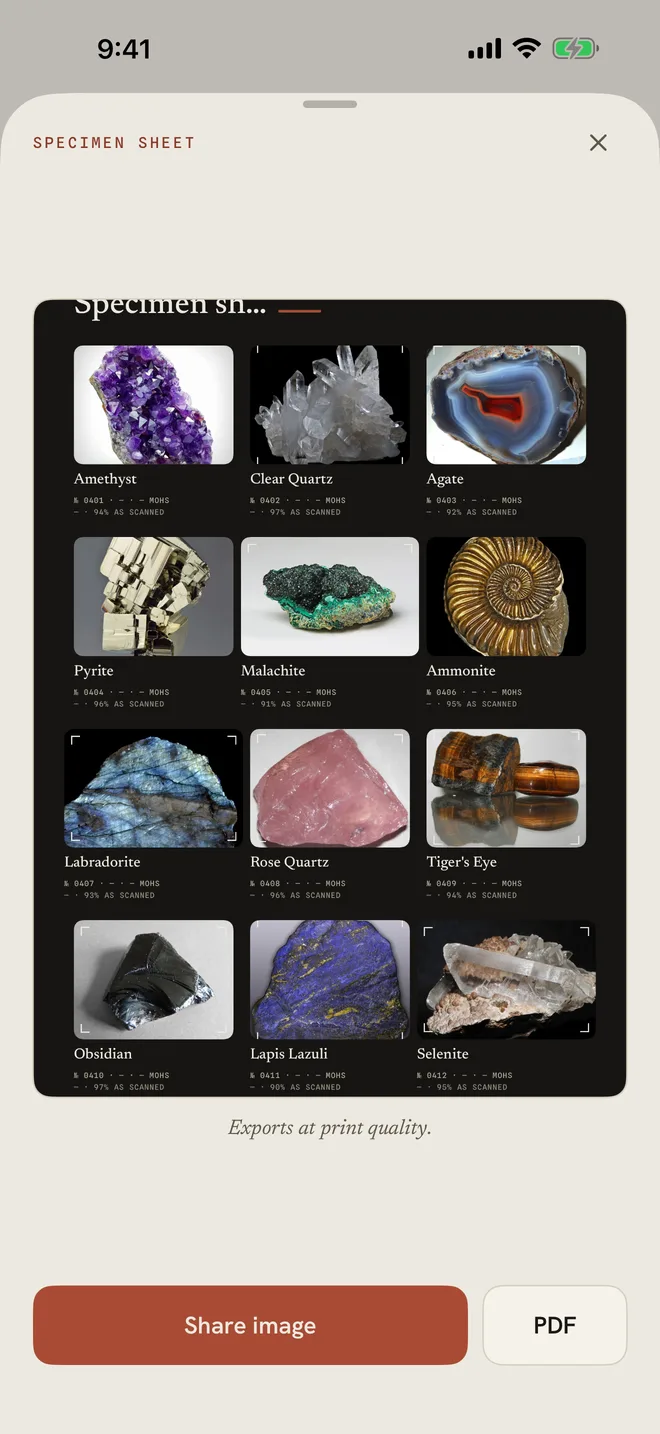
Tap EXPORT at the top of the Collection tab to make a specimen sheet. Tap Share image to send it, or PDF for a print-ready file (Geode Pro).
More in Your collection
Still stuck?
Tell us what you see — a screenshot helps — and a person will reply by email, usually within a day.