
 Par help
Your name, language and appearance
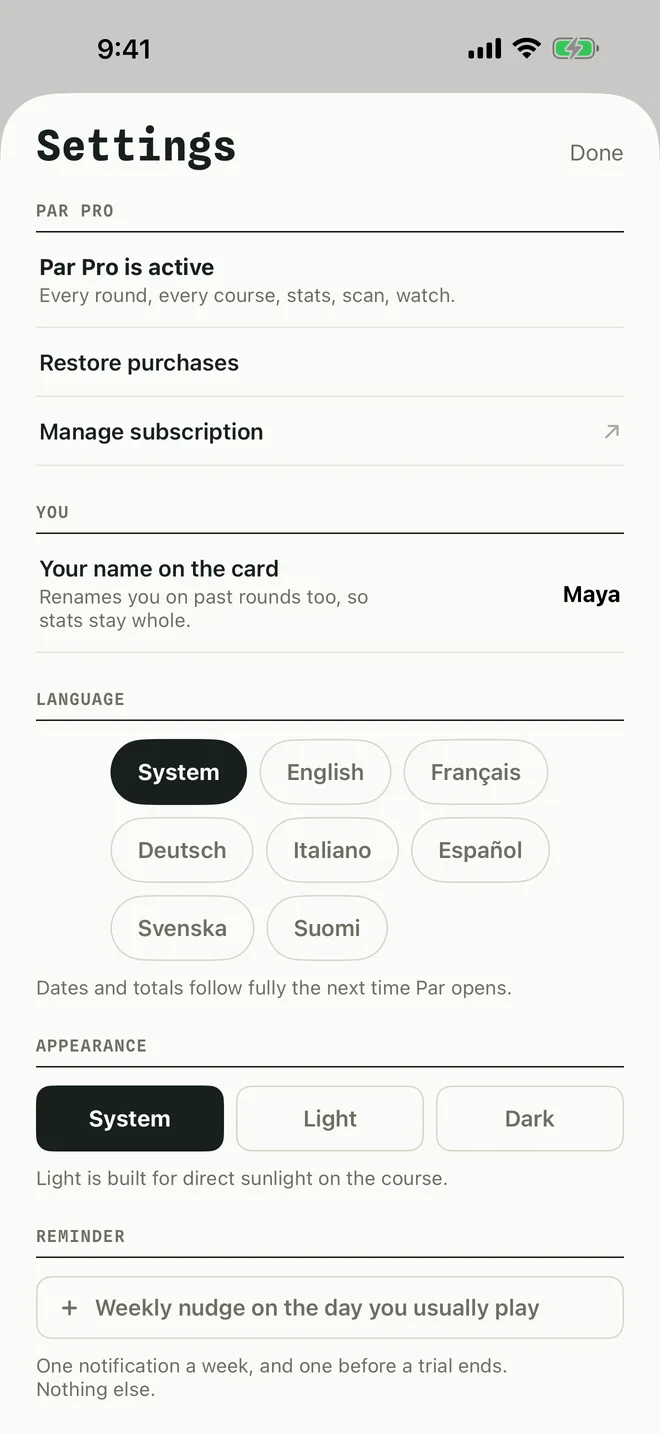
Settings is behind the gear at the top right of the home screen.
-
1Open Settings
- Your name on the card: the name Par puts on your scorecards. Changing it renames you on past rounds too.
- LANGUAGE: use your iPhone's language or pick one for Par.
- APPEARANCE: System, Light or Dark. Light is built for direct sunlight on the course.
- REMINDER: a weekly nudge on the day you usually play.
- APP ICON: choose the Birdie or Wordmark icon.
More in Par Pro and settings
Still stuck?
Tell us what you see — a screenshot helps — and a person will reply by email, usually within a day.