
 Par help
Score together on several phones
Friends can join your round on their own phones and enter their own scores. Everyone sees the same card live.
-
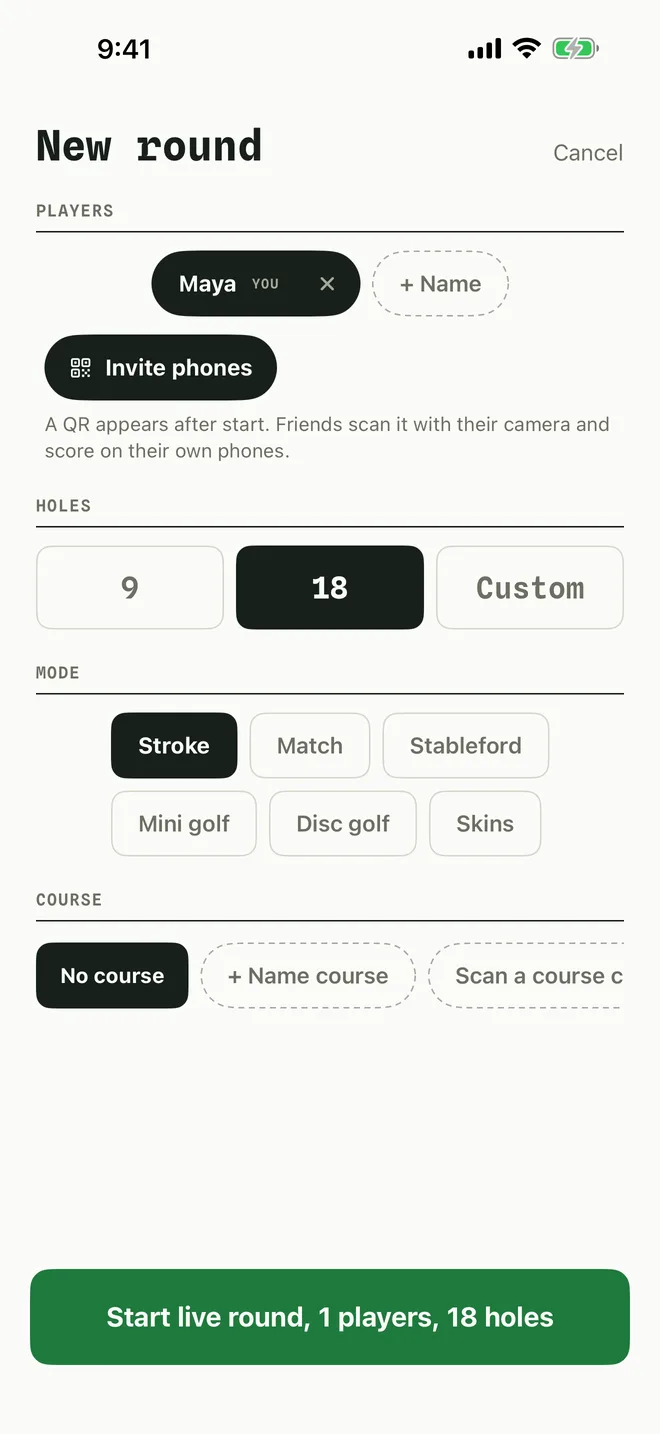
1Turn on Invite phones
When you set up the round, tap Invite phones. After you start, a QR code appears for your friends to scan.
-
2Friends join
Each friend opens Par and taps Join a round on the home screen, then points the camera at the QR code on your phone. They can also type the code into Enter code and tap Join.
If the camera is off for Par, the screen says so. Tap Open Settings and turn on Camera, or just type the code.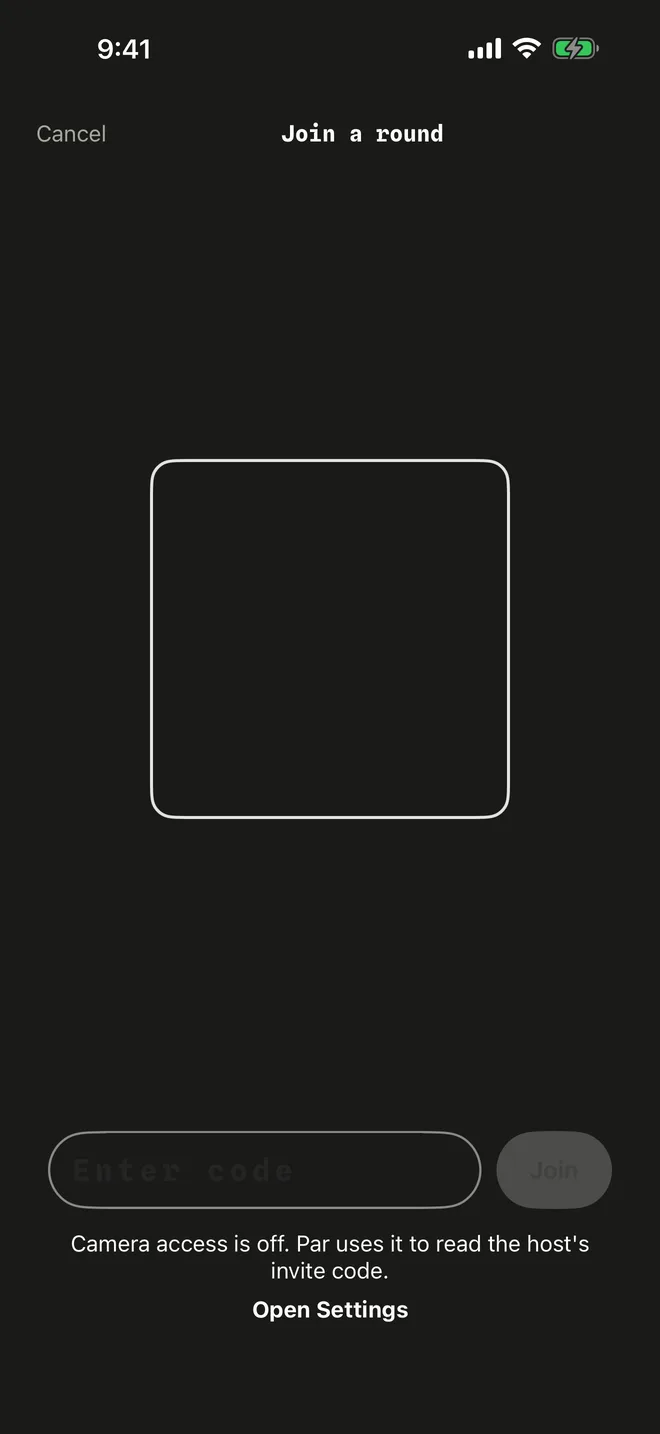
-
3Everyone scores
Scores entered on any phone show up on all of them. At the end everyone has the same card.
More in Playing with friends
Still stuck?
Tell us what you see — a screenshot helps — and a person will reply by email, usually within a day.