
 Klick help
Face ID lock and privacy
Lock Klick behind Face ID and choose exactly what, if anything, is shared with Klick AI.
-
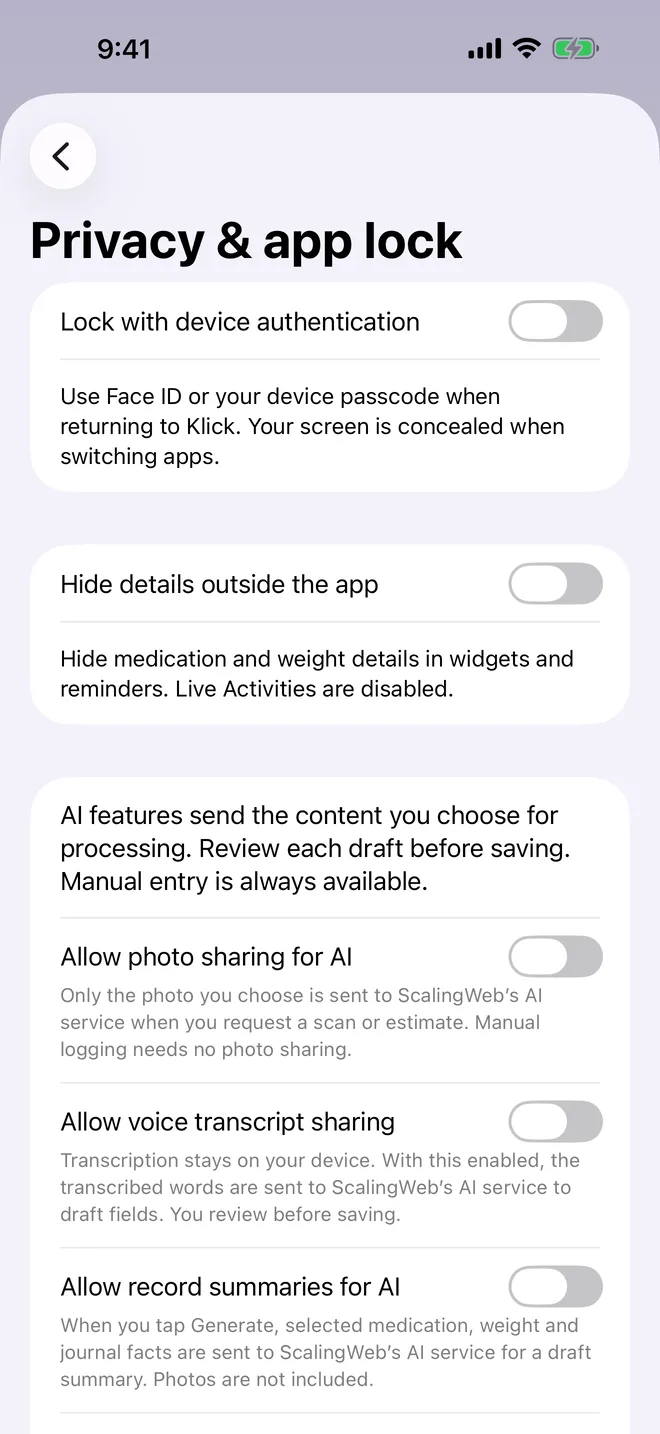
1Open Privacy & app lock
In Settings, tap Privacy & app lock.
- Lock with device authentication: Face ID or your passcode when you open Klick. Your screen is hidden when you switch apps.
- Hide details outside the app: keeps medication and weight details out of widgets and reminders.
- The AI switches control photo, voice and summary sharing. Each AI feature only sends what you choose, and manual entry always works.
More in Privacy, Pro and settings
Still stuck?
Tell us what you see — a screenshot helps — and a person will reply by email, usually within a day.