
 Geode help
Language, lens and your data
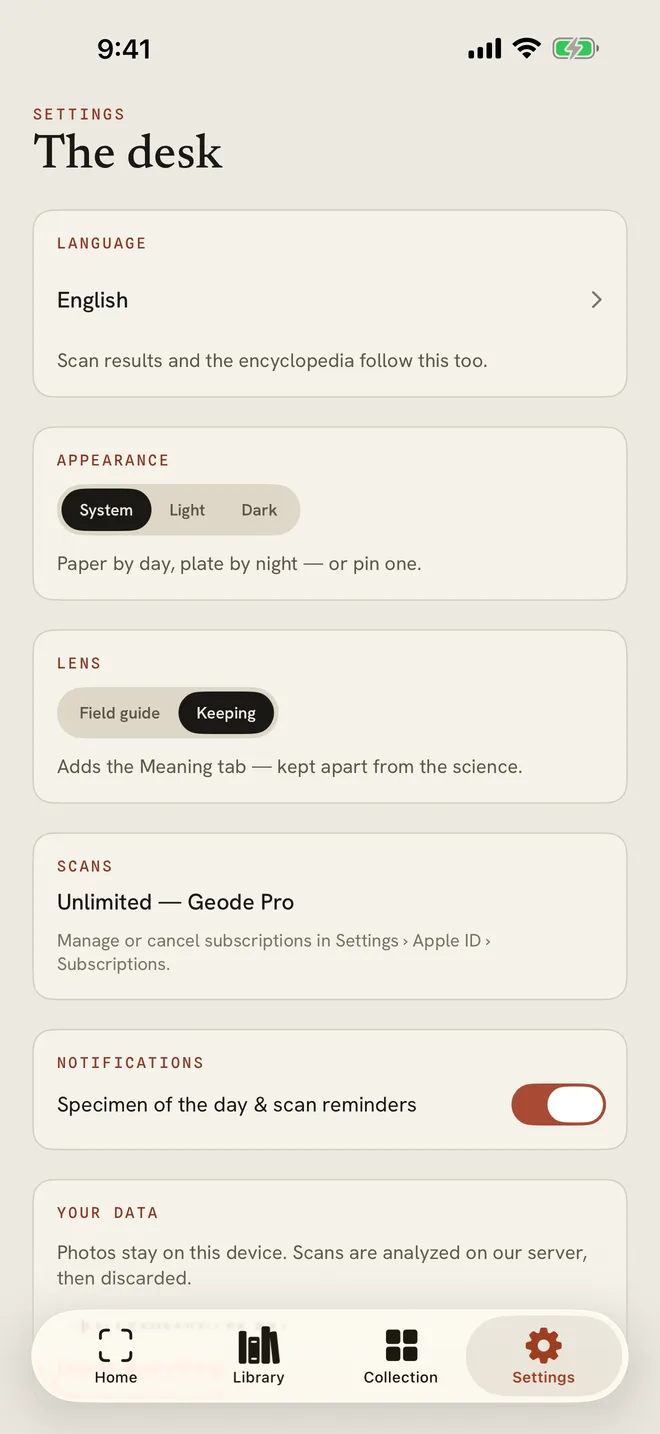
The Settings tab holds your language, the look of the app, the lens, and your data.
-
1Open Settings
- LANGUAGE: results and the encyclopedia follow this language.
- APPEARANCE: System, Light or Dark.
- LENS: Field guide for the science, or Keeping to add the Meaning tab.
- NOTIFICATIONS: specimen of the day and scan reminders.
- YOUR DATA: Export collection as CSV, or Delete everything.
More in Geode Pro and settings
Still stuck?
Tell us what you see — a screenshot helps — and a person will reply by email, usually within a day.